

Author: seniorlifetech
9 New Living In a Digital World Training Opportunities
TECH TIPS: COMPUTERS & TECHNOLOGY
1-HOUR ORIENTATION SEMINARS FOR SENIORS
NOTE: Designed for non-computer users & experienced computer users
CONTACT: Dr. Katie Canty at seniortechacademy@yahoo to schedule 1 or more workshops
- pinterest.com – Pinterest is a pin board-style photo sharing website that allows users to create and manage theme-based image collections such as events, interests, hobbies, and more. Users can browse other pin boards for inspiration, “re-pin” images to their own pin boards, or “like” photos. Pinterest is a tool for collecting and organizing things you love.
- How to Boost Your Brain Power Through Computer Use – See What Online Activities Give Aging Brains a Boost
- Exercise for Arthritis? There’s an App for That – An innovative health program blends digital experiences with face-to-face support. Physical activity really does help. Learn how to make exercise work for you.
- Introduction to Desktop Publishing Project – How to Create Your Own New Coloring Book Project + Emoji for Seniors
- Introduction to Word Processing Essentials – We will cover the creation of your first document. You’ll learn to move around in your document, using formatting marks, moving text by using Cut and Paste, and changing line spacing and alignment.
- Editing & Sharing Your Photos -See the Easy Way to Digitize Old Photos
- e-mail Fundamentals Orientation – You’ve Got Mail
- How to Stay Connected with Social Media
- An Octogenarian’s Unexpected Online Love Story + Not Your Typical Uplifting Senior Stories

Must Have Future Self-Driving Devices
Self-Driving Country Club Golf Bags. A robotic self-driving suitcase is steering itself alongside iVan & iVanna’s family when they go to the airport on the way to their vacation resort. At the resort, a self-driving bag of golf-clubs is available for rent.
The luggage and golf bag have 4 wheel drive, obstacle avoiding sensors, and like other self-powering devices of the future, there is no battery to charge.
Information Resource book:
Self-Driving Cars Sci-Fi Fantasy Shortest Stories
Future Self-Driving Car’s Stories & Activities for Smart Kids

Which 1 of These 2-Hour Training Camps Do You Like Best? RSVP
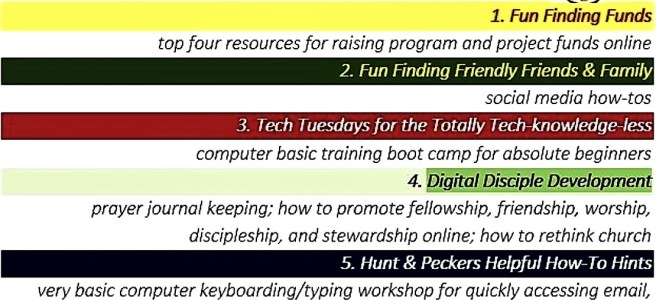
| Which 1 of These 2-hour Training Camps |
| Do you like best? RSVP |
| 1. Fun Finding Funds |
| top four resources for raising program and project funds online |
| 2. Fun Finding Friendly Friends & Family |
| social media how-tos |
| 3. Tech Tuesdays for the Totally Tech-knowledge-less |
| computer basic training boot camp for absolute beginners |
| 4. Digital Disciple Development |
| prayer journal keeping; how to promote fellowship, friendship, worship, discipleship, and stewardship online; how to rethink church |
| 5. Hunt & Peckers Helpful How-To Hints |
| very basic computer keyboarding/typing workshop for quickly accessing email, websites, and social media |
| 6. Inter-continental Internet Interesting Interludes |
| virtual reality tour of the Bible; stops at places in the old and new testaments with Moses, David, and Jesus |
| 7. Christmastree Cookie Cooking with your Children |
Parent and child teams as cookie chefs making edible cookies as ornaments 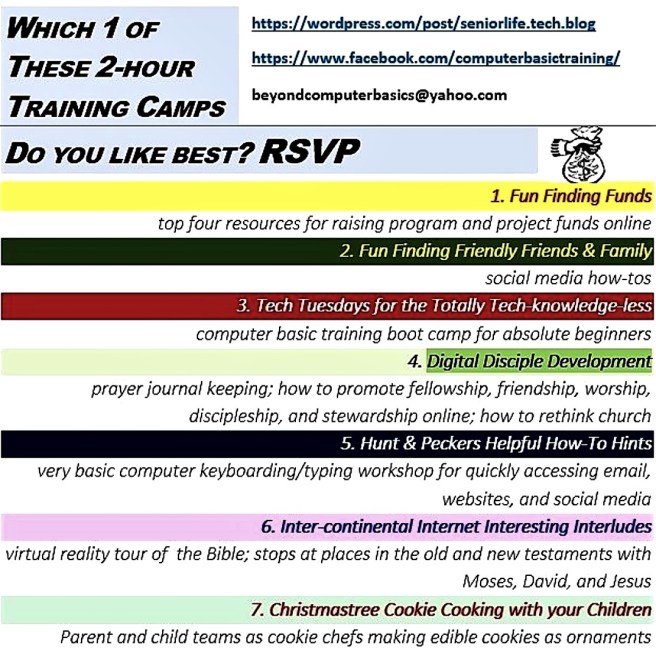 |
Vacationers, Which One of These Space Travel Opportunities Has Your Name On It?
From the iVan and iVanna Series of Dr. Katie Canty, Ed.D.
Let iVan or iVanna self-driving artificial intelligence vehicles assist you with urges for out of this world adventure in space. You can stargaze much closer to the stars up front and in person. Here’s how. The first adventures are iVanna’s.
The Beam Me Up iVanna Trip One cost $100,000 and requires no kind of special training. You get into a helium powered balloon space capsule and float 100,000 feet to the edge of the Earth, then float back down.
iVanna’s Slingshot Space Adventure Two cost $250,000 and requires weightlessness special training. You jet up from the Earth into outer space in a rocket powered engine, then safely jet back down to Earth.
Now let’s see what iVan’s space adventures look like.
- The iVan Mothership Space Adventure Three cost $750,000 and requires space ship detachment special training. You get to G-Force climb, experience mothership detachment, atmosphere launch, and then safely glide back down to Earth.
- iVan’s Space Station Voyage Adventure Four cost $70 million and requires special station living training. You get to skim the surface of moon, then go to live on the space station for a few weeks before returning to Earth.
Now, when do you want iVan or iVanna to book your vacation space trip?

COMING SOON Basic Report Typing 2-Day Training Boot Camp for Hunt & Peckers and Beginners

Tired of begging and/or paying someone to type your school, work, or hobby report(s)? This camp is for you to prepare your own basic reports and papers in Word 2016 the right way, the first time!
Suggestion: If you are an absolute newbie, first, complete Dr. Canty’s Basic Computer Keyboarding/Typing 2 Week Training Boot Camp for Hunt & Peckers and Beginners.
This newest, very simple, word processing keyboarding/typing training camp focuses only on preparing a simple report or basic paper for school, work, fun, or a hobby.
Imagine a World in Which People Do Not Type: The Day My Computers iVan & iVanna Quit!
Imagine a World in Which People Do Not Type: The Day My Computers iVan & iVanna Quit!
by Dr. Katie Canty, Professor Computer Keyboarding 2-Week Training Camp seniortechacademy@yahoo.com http://www.amazon.com/-/e/B01MRY0HZX
 Imagine a world where there are no keyboarding/tying input devices. We call this the day my computer keyboards quit! If data entry computers quit, you might want to cover your ears. There is likely to be a lot going on like hollering, yelling, screeching, and maybe cussing, too. Imagine a conversation like this.
Child to iVana: Type the essay for school for me.
iVanna to Child: I am not programmed to type your school papers. My artificial intelligence does tell me to tell you to think and type for yourself, Child. I quit!
“OK, says, the Child. Go ahead and quit. I will ask iVan.”
iVan to the Child: I quit, too. But, I did tell your parents and teachers about your request before I quit.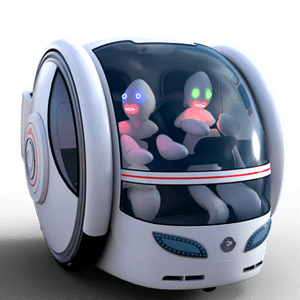 iVan and iVanna self-drive off to join other AI’s , artificial intelligence computers that think for themselves, on an international, unannounced holiday of technology down time.
Computer Classes with Senior Citizens Bringing Their Own Devices – Are Classes Successful?
Two recommendations for success, if th e students are absolute newbies to using computers:
- Have a senior citizen student to teacher ratio of no more than 2 students per teacher, assistant, or computer coach.
- Require students to enroll in a short, pre-course device workshop. One of the most important, often overlooked details is to make sure that each student can see and comfortably read information on their device screen. Make sure that each student’s device can access the Internet from your class location. Help students to understand that teachers and coaches do not stop class in order to find device passwords, load required software, or to fix device hardware.
My personal preference is to teach a class of 8 to 10 newbie senior citizens with a couple of computer coach assistants on standalone computers or on bigger screen devices all from the same computer company.
Popularity of Adult Coloring Books in a Digital World–Why? Top 10 Reasons
What is the reason for the growing popularity of coloring books? Based on Good Reads and Redditt research
-
gifts
-
relaxing
-
entertainment
-
socializing
-
teamworking
-
unwinding or rewinding
-
harmless hobby
-
during long flights
-
during medical recovery
-
reducing stress or anxiety

Should Baby Boomer 1st Timers Take Their 1st Course Online?

- Should I take this course online?
It depends on:
- the 1st timers comfort level with using new technology
- proficiency level using up-to-date hardware and software
- learning style
- attention span
- access to face-to-face support as needed when needed
- attitude
- online facilitator’s instructional delivery method(s)
Best Suggestion
Take a Free Try-Out Class: Enroll in a free, or under $5, online course. Libraries, senior centers, senior organizations, and free courseware sites–these are places to find free or under $5 beginner courses.
 Computer Technology Senior Life Workshops Blog Space